
Protect Your Inbox: Steps to Prevent Phishing Attacks
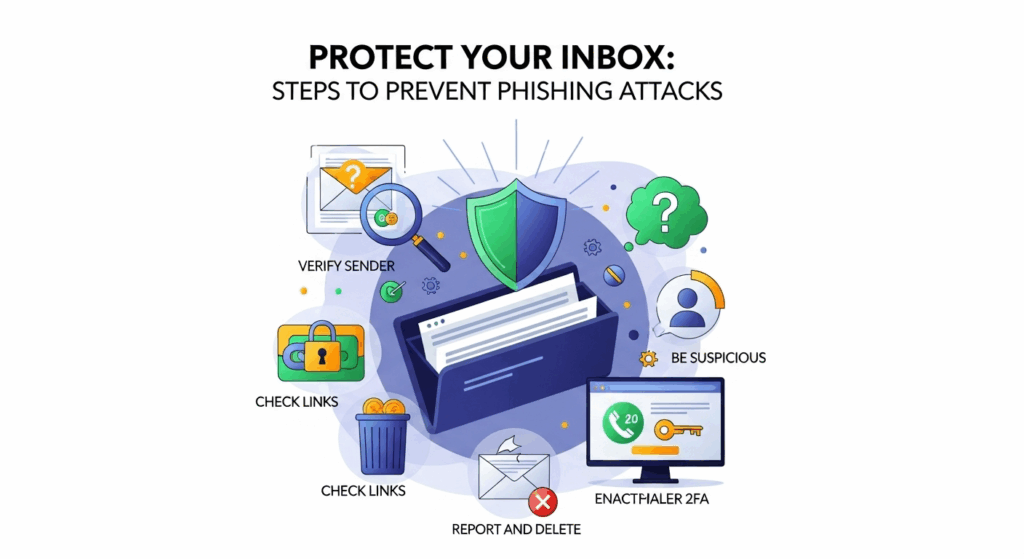
In today's digital age, our inboxes are the central hub of our personal and professional lives. They hold everything from cherished memories to sensitive financial data. Unfortunately, this also makes them a prime target for cybercriminals wielding a deceptive and dangerous tool: phishing. These fraudulent attempts to obtain sensitive information are becoming more sophisticated daily, making it crucial for everyone to be equipped with the knowledge and tools to fight back. This guide will provide you with comprehensive, actionable steps to prevent phishing attacks, safeguarding your digital identity and giving you peace of mind.
What is Phishing and Why is it So Dangerous?
Before diving into prevention, it's essential to understand the enemy. Phishing is a type of social engineering attack where malicious actors masquerade as a trustworthy entity in an electronic communication, typically email. The goal is to trick the recipient into revealing sensitive information such as usernames, passwords, credit card numbers, or to deploy malicious software (malware) onto their device. The name itself is a homophone of "fishing," aptly describing how attackers dangle a tantalizing "bait"—a fake invoice, a security alert, or a prize notification—hoping an unsuspecting user will bite.
The danger of phishing lies in its deceptive simplicity and its potential for catastrophic consequences. A single successful attack can lead to identity theft, significant financial loss, and unauthorized access to personal and corporate networks. For businesses, a phishing attack on one employee can escalate into a full-blown data breach, resulting in devastating reputational damage, regulatory fines, and loss of customer trust. The attack vector is particularly potent because it exploits human psychology—our innate trust, curiosity, and sense of urgency—rather than just technical vulnerabilities in software.
The evolution of phishing has made it even more perilous. Early phishing emails were often easy to spot, riddled with grammatical errors and generic greetings. Today, attackers employ highly targeted techniques. Spear phishing targets a specific individual or organization, using personal information gathered from social media or previous data breaches to make the email incredibly convincing. Whaling is an even more specific form of spear phishing that targets high-profile executives or administrators, while smishing (SMS phishing) and vishing (voice phishing) extend the threat beyond email to text messages and phone calls, making vigilance across all communication platforms a necessity.
Foundational Security Practices: Your First Line of Defense
The most effective strategy against phishing is a proactive one. Before you even receive a suspicious email, you can build a strong digital fortress around your accounts that makes it significantly harder for attackers to succeed, even if you momentarily slip up. These foundational practices are your first and most critical line of defense, acting as a permanent barrier against unauthorized access. They are not one-time fixes but ongoing habits that form the bedrock of good digital hygiene.
Think of these practices as the locks on your digital doors and windows. A weak, easily guessable password is like leaving your front door unlocked. Reusing the same password across multiple sites is akin to having one key that opens your house, your car, and your office—if a thief gets that key, everything you own is compromised. Implementing strong, unique passwords and enabling multi-factor authentication are non-negotiable steps in securing your online life. They work in tandem to create a layered defense that can thwart the vast majority of automated and opportunistic attacks.
Ultimately, these foundational measures reduce your "attack surface." By making each of your accounts a difficult target, you become less appealing to cybercriminals who often look for the path of least resistance. Investing a small amount of time to set up these defenses can save you from countless hours of stress, financial recovery, and the difficult process of reclaiming a compromised digital identity.
Mastering Password Hygiene
A strong password is your first and most fundamental shield. Unfortunately, many users still rely on weak, easily guessable passwords like "123456," "password," or personal information like birthdates and pet names. A strong password should be long (at least 12-15 characters), complex (using a mix of uppercase letters, lowercase letters, numbers, and symbols), and unique (never reused across different websites or services). The principle of uniqueness is paramount; if one site suffers a data breach and your password is exposed, attackers won't be able to use that same password to access your email, banking, and social media accounts.
Remembering dozens of long, complex, and unique passwords is a humanly impossible task. This is where password managers come in. A password manager is a secure, encrypted application that generates, stores, and automatically fills in strong passwords for all your online accounts. You only need to remember one strong master password to unlock your vault. Reputable password managers like LastPass, 1Password, or Bitwarden not only enhance your security but also your convenience. They are the de facto standard for anyone serious about protecting their digital life, turning an impossible memory task into a manageable and highly secure process.
Implementing Multi-Factor Authentication (MFA)
If strong passwords are the lock on your door, multi-factor authentication (MFA), also known as two-factor authentication (2FA), is the deadbolt. MFA adds a crucial second layer of security to the login process. Even if a phisher manages to steal your password, they will be stopped in their tracks because they do not possess the second "factor" required to gain access. This second factor is typically something you have, like your phone, or something you are, like your fingerprint.
There are several common forms of MFA. The most basic is a code sent via SMS to your phone. A more secure method is using an authenticator app (like Google Authenticator or Authy) that generates a time-sensitive code on your device. The most secure options include physical security keys (like a YubiKey) that you plug into your computer or tap on your phone. Always enable MFA on every account that offers it, especially for critical services like your primary email, banking, and social media. It is arguably the single most effective step you can take to prevent account takeovers resulting from phishing attacks.
Developing a Skeptical Eye: How to Spot a Phishing Email
Technology and strong passwords form a powerful defense, but the ultimate firewall is a well-trained, skeptical human mind. Phishing attacks are designed to bypass technical filters and trick you, the user. Therefore, learning to critically analyze every incoming email is a vital skill. This involves slowing down, resisting the urge to react immediately to urgent requests, and training yourself to look for the subtle (and sometimes not-so-subtle) red flags that give away a fraudulent message.
Cybercriminals are masters of psychological manipulation. They create a sense of urgency ("Your account will be suspended in 24 hours!"), fear ("Suspicious login attempt detected"), or excitement ("You've won a prize!") to pressure you into acting without thinking. The key to defense is to recognize these emotional triggers and respond with logic instead of impulse. Before clicking any link or downloading any attachment, take a deep breath and perform a quick but thorough inspection of the email.
To help you develop this critical eye, it's useful to know exactly what to look for. The following subsections will detail the most common indicators of a phishing attempt. The table below provides a quick-reference comparison between typical phishing tactics and the characteristics of legitimate communication.
| Feature | Phishing Red Flag | Legitimate Communication Sign |
|---|---|---|
| Sender Email | Mismatched or slightly misspelled domain (e.g., `paypal-support@mail.com` or `micros0ft.com`) | Matches the official domain of the organization (e.g., `support@paypal.com` or `security@microsoft.com`) |
| Greeting | Generic, like "Dear Valued Customer" or "Hello User" | Personalized with your name or username |
| Tone & Language | Urgent, threatening, or too good to be true. Creates panic or excitement. | Professional, calm, and informative. |
| Grammar & Spelling | Contains noticeable spelling mistakes or awkward phrasing. | Professionally written and proofread. |
| Links | Hovering over the link reveals a different, suspicious URL. Uses URL shorteners. | The link's text and the underlying URL match the expected destination. |
| Requests | Asks directly for passwords, credit card numbers, or other sensitive information via email. | Directs you to log in to your account through their official website to check for notices. |
Scrutinizing Sender Information and Embedded Links
One of the most reliable ways to identify a phishing email is to carefully inspect the sender's address and any links within the message. Attackers often create email addresses that look legitimate at a glance but are subtly wrong. For example, an email might purport to be from "Microsoft" but the sender's address is `security-alert@microsoft-support.net` instead of an official `@microsoft.com` domain. Always check the full email address, not just the display name.
The same principle applies to links. Phishers will disguise malicious links with hyperlink text that looks legitimate, such as "Click here to verify your account." Before you click, always hover your mouse cursor over the link to see the actual destination URL that appears in the bottom corner of your browser or email client. If the URL looks suspicious, is a string of random characters, or directs you to a different domain than the one you expect, do not click it. Be especially wary of links from URL shortening services (like bit.ly) in unexpected emails, as they are often used to hide malicious destinations.
Identifying Urgent, Threatening, or Unusual Language
Phishing emails thrive on emotional manipulation. They are crafted to bypass your rational thought processes by triggering a strong emotional response. Be on high alert for any email that uses urgent or threatening language. Phrases like "Immediate Action Required," "Your Account Has Been Compromised," or "Failure to Verify Will Result in Account Suspension" are classic tactics designed to make you panic and act impulsively. Legitimate companies rarely, if ever, use such high-pressure tactics.
Similarly, be skeptical of emails that seem too good to be true. Notifications that you've won a lottery you never entered, are entitled to a large tax refund, or have been offered an incredible deal are almost certainly fraudulent. The goal is to pique your curiosity and greed, leading you to click a link or provide personal information to "claim" your non-existent prize. The golden rule is: if a message creates a strong sense of urgency, fear, or euphoria, stop. Verify the claim independently by navigating directly to the company's official website in your browser or calling a known-good customer service number.
Spotting Generic Greetings, Poor Grammar, and Spelling Errors
While cybercriminals are getting more sophisticated, a surprising number of phishing emails still contain basic errors that give them away. Pay close attention to the greeting. Legitimate companies with whom you have an account will almost always address you by your name (e.g., "Dear John Smith"). An email that starts with a generic greeting like "Dear Valued Customer," "Dear Sir/Madam," or "Hello [your email address]" is a significant red flag. It suggests the sender has a list of email addresses but does not know the names associated with them.
In addition, scan the body of the email for spelling mistakes and poor grammar. Large, professional organizations have teams of writers and editors who ensure their official communications are polished and error-free. While a minor typo can happen to anyone, an email laden with grammatical mistakes, awkward phrasing, or strange punctuation is a strong indicator that it was not sent by a legitimate source. These errors often arise because the attackers are not native speakers of the language or are using automated translation tools. Treat such sloppiness as a clear warning sign.
Leveraging Technology and Tools for Enhanced Protection
While human vigilance is irreplaceable, technology provides a powerful and essential safety net. Modern software and services have built-in capabilities designed specifically to identify and block phishing attempts before they ever reach you. By understanding and utilizing these tools, you can significantly reduce your exposure to threats and automate much of your defense, allowing you to focus your attention on the few sophisticated messages that might slip through.
Email providers like Gmail and Outlook invest heavily in machine learning algorithms that analyze billions of emails to identify patterns associated with spam and phishing. These filters are incredibly effective and are constantly learning and improving. However, no automated system is perfect. This is why a multi-layered approach that combines the strength of your email provider's filters with dedicated security software and your own critical judgment provides the most robust protection.

Beyond your inbox, other tools can protect you as you browse the web. Comprehensive antivirus and anti-malware suites, often called endpoint security solutions, can block you from accessing known malicious websites, even if you accidentally click on a phishing link. Browser extensions can also add another layer of real-time protection, warning you of dangerous sites. Leveraging these technologies is not about replacing your judgment, but augmenting it.
Utilizing Your Email Provider’s Built-in Filters
Your first line of technological defense is the email service you already use. Major providers like Google Workspace and Microsoft 365 have sophisticated, AI-powered security filters that automatically scan incoming mail for signs of phishing. They check sender reputation, analyze links and attachments, and compare message content against a massive database of known threats. The vast majority of phishing emails are caught by these filters and sent directly to your spam or junk folder.
You can actively help make these filters even smarter. If a phishing email manages to land in your primary inbox, don't just delete it. Use the "Report Phishing" or "Report Junk" feature in your email client. This action sends valuable data back to the provider, helping them refine their algorithms to block similar messages in the future. By doing so, you are not only protecting yourself but also contributing to the security of the entire user community.
Installing Security Software and Browser Extensions
A comprehensive security posture extends beyond your inbox. A reputable antivirus or internet security suite is essential. These programs do more than just scan for viruses; they often include web protection features that will actively block your browser from connecting to a known phishing site if you click a malicious link. This can be a an account-saver, acting as a last-ditch defense if you are momentarily tricked by a convincing email.
Furthermore, consider using browser security extensions. Many security companies offer free extensions that integrate with your browser (like Chrome, Firefox, or Edge) to provide real-time threat intelligence. These tools can flag suspicious links in search results, block malicious ads (malvertising), and provide a clear warning before you land on a page that is on a phishing blacklist. They act as a knowledgeable co-pilot for your web browsing, adding an extra layer of scrutiny to your online activities.
Organizational Strategies: Creating a Human Firewall
For businesses and organizations, preventing phishing is not just an individual responsibility—it is a critical aspect of corporate security. A single employee falling for a phishing attack can compromise the entire network, leading to a major data breach, financial theft, or a ransomware attack. Therefore, organizations must move beyond simply relying on technology and focus on building a resilient "human firewall" through continuous education and clear, supportive procedures.
An effective organizational strategy recognizes that employees are both the primary target and the most powerful line of defense. A culture of security must be fostered from the top down, where cybersecurity is seen as a shared responsibility, not just the domain of the IT department. This involves regular, engaging training that empowers employees to recognize threats and gives them a clear, penalty-free process for reporting anything suspicious.
When employees are well-trained and feel comfortable reporting potential threats without fear of blame, they transform from a potential vulnerability into a network of active sensors. An employee who spots and reports a sophisticated spear phishing email provides the security team with invaluable intelligence. This allows them to block the attacker's infrastructure, warn other employees, and proactively hunt for related threats, strengthening the organization's defenses for everyone.
The Importance of Security Awareness Training
The cornerstone of an organizational anti-phishing strategy is robust and ongoing security awareness training. This is far more than a once-a-year slideshow. Effective training is interactive, engaging, and continuous. It should include regular phishing simulations, where the company sends safe, simulated phishing emails to employees to test their awareness in a real-world context. These tests provide invaluable metrics on the organization's vulnerability and highlight areas where further training is needed.
The goal of this training is not to "catch" or punish employees who fail a simulation. Instead, it is a teaching moment. Those who click should be directed to immediate, bite-sized training that explains the red flags they missed. The overall objective is to build a culture of healthy skepticism and empower every employee with the confidence and knowledge to identify and question suspicious communications. This turns the entire workforce into an active part of the security solution.
Establishing Clear Reporting Protocols
When an employee suspects they have received a phishing email, what should they do? The answer must be simple, clear, and immediate. Organizations need to establish and widely publicize a straightforward protocol for reporting suspicious messages. This could be a dedicated "Report Phish" button integrated into their email client, a specific email address (e.g., `phishing@company.com`), or a direct line to the IT help desk.
Crucially, this reporting process must be non-punitive. Employees must feel safe reporting a suspicious email, even if they have already clicked a link or opened an attachment. Fear of getting in trouble will only lead to people hiding their mistakes, which allows an attack to fester and cause far more damage. When reporting is encouraged and met with a supportive response, the security team gains vital, real-time threat data that they can use to defend the entire organization.
Frequently Asked Questions (FAQ)
Q: What is the difference between phishing, spear phishing, and whaling?
A: Phishing is the broad term for sending out fraudulent emails to a large, non-specific group of people. Spear phishing is a highly targeted attack aimed at a specific individual or organization, often using personalized information to make the email more convincing. Whaling is a type of spear phishing that specifically targets high-value individuals, such as C-level executives (the "big phish" or "whales"), to gain access to high-level corporate data or authority.
Q: What should I do immediately if I think I've fallen for a phishing attack?
A: Act quickly. If you entered a password, change it immediately on that site and on any other site where you use the same or a similar password. If you entered financial information, contact your bank or credit card company to report the potential fraud and have your card blocked. If this happened on a work device, report it to your IT/security department immediately. Run a full scan with your antivirus software to check for any malware that may have been installed.
Q: Can I get phished through text messages or phone calls?
A: Yes. Phishing via text message is called "smishing," and phishing via voice call is called "vishing." The tactics are the same: attackers create a sense of urgency or impersonate a trusted entity (like your bank or a government agency) to trick you into revealing information or taking an action. Be just as skeptical of unsolicited texts and calls as you are of emails.
Q: Are free Wi-Fi networks a risk for phishing?
A: They can be. On an unsecured public Wi-Fi network, a skilled attacker could potentially intercept your traffic or redirect you to a fake website to steal your credentials (a "man-in-the-middle" attack). While this is different from a phishing email, the goal is the same. It's best practice to avoid logging into sensitive accounts (like banking) on public Wi-Fi. If you must, use a reputable Virtual Private Network (VPN) to encrypt your connection.
Conclusion
Protecting your inbox and your digital identity from phishing attacks is an ongoing battle, but it is one you can win. By adopting a multi-layered defense strategy, you can dramatically reduce your risk and navigate the digital world with confidence. This strategy begins with a strong foundation: using unique, complex passwords managed by a password manager and enabling multi-factor authentication on all critical accounts. This creates a powerful technical barrier against attackers.
The second layer is your own vigilance. By training yourself to be a skeptical and discerning email user—scrutinizing senders, hovering over links, and recognizing the psychological tricks of urgency and emotion—you become the most effective security tool at your disposal. This human firewall, augmented by the technological safety nets of email filters and security software, forms a robust defense. For organizations, this is amplified by fostering a culture of security through continuous training and supportive reporting protocols.
Phishing threats will continue to evolve, but the core principles of prevention remain constant. By taking these steps to prevent phishing attacks, you are not just protecting data; you are securing your finances, your identity, and your peace of mind. Take control of your digital security today.
***
Article Summary
This article, "Protect Your Inbox: Steps to Prevent Phishing Attacks," provides a comprehensive guide to defending against fraudulent phishing attempts. It begins by defining phishing as a deceptive practice where attackers impersonate trusted entities to steal sensitive information, highlighting the dangers of sophisticated methods like spear phishing and whaling.
The core of the article outlines a multi-layered defense strategy. The first layer consists of foundational security practices, emphasizing the critical importance of using a password manager to maintain strong, unique passwords for every account and enabling multi-factor authentication (MFA) as a non-negotiable barrier against account takeovers.
The second layer focuses on user vigilance and awareness. It teaches readers how to spot the red flags of a phishing email, including scrutinizing sender details, identifying urgent or threatening language, and looking for generic greetings and grammatical errors. A comparative table highlights the differences between phishing and legitimate communications.
The third layer covers leveraging technology, such as utilizing the built-in filters of email providers like Gmail and Microsoft 365, actively reporting phishing attempts to improve these systems, and installing comprehensive security software and browser extensions for real-time protection.
Finally, the article addresses organizational strategies, advocating for businesses to create a "human firewall" through continuous security awareness training and establishing clear, non-punitive protocols for reporting suspicious activity. The conclusion reinforces that a combination of strong technical defenses, educated user skepticism, and supportive organizational policies is the most effective way to prevent phishing attacks.