
How to Turn Off VPN on iPhone – Easy Steps for Us
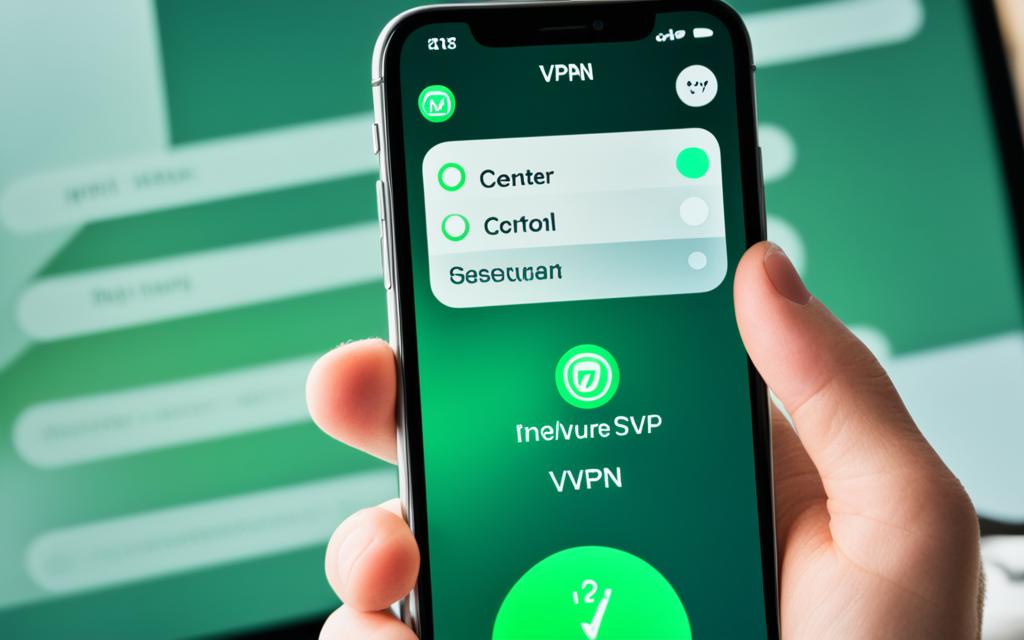
We often use virtual private networks (VPNs) to keep our online actions safe and to go past location blocks. But sometimes, we need to know how to stop using our VPN on our iPhones for a bit. This could be to fix connection problems, save battery, or use services that need to know where we are.
I’m going to show you how to turn your VPN off on your iPhone, step by step. We’ll also cover why you might want to turn it off for a while. And we’ll talk about the good things a VPN does, and why you should think twice before switching it off.
Introduction: Why Turn Off VPN on iPhone?
A virtual private network (VPN) keeps our online work safe. But sometimes, we might want to turn it off on our iPhones. Let’s check out why and the good things about doing that.
Troubleshooting Internet Connection
Problems like slow internet or being disconnected might show up. Turning off the VPN can help solve these. It lets us see if the VPN is causing the issue.
Weak Online Connection
Sometimes, a VPN makes our internet weaker, especially if the server is far away. By turning off the VPN, we can get back a stronger connection. This makes using the internet better.
Battery Optimization
VPNs use more data and power, affecting our phone’s battery. When we don’t need it, turning off the VPN can save battery life. This means fewer times we have to charge our phone.
Access Location-Based Services
Some apps need to know our location but can’t get it when we use a VPN. By turning it off, we can use apps like maps and weather as usual. This way, our phone’s features work better.
Bypass Network Firewalls
Workplaces or public networks often block VPNs with firewalls. Turning the VPN off can help us get past these blocks. Then we can visit websites or use services that were off-limits before.
Unblock Streaming Subscriptions
VPNs often let us watch shows from other countries, but they can also stop our favorite media from playing. By turning off the VPN, we can watch our usual streaming services without any trouble.
Disabling VPN on iPhone via Settings
If you have a VPN app or service on your iPhone, you might need to turn it off sometimes. It is easy to do this through your iPhone’s Settings menu.
Step 1: Access Settings
First, launch the Settings app on your iPhone. You can turn off your VPN here.
Step 2: Toggle VPN Off
In the Settings app, look for “VPN.” It might be under “General” or “Network.” Go into the VPN setting, and switch it to “Off.” Your phone will then stop using the VPN server.
Turning off your VPN is simple. This allows you to solve internet problems, save battery, or use some apps. But, remember, turning it off means your internet and location are visible. Be careful with your privacy.
Alternative Method: Disable VPN in iPhone Settings
Feeling stuck with turning off the VPN on your iPhone? There’s another way to do it. This method skips the usual step of turning it off in the Settings app.
To turn off the VPN using this different method, do the following:
- Open your iPhone’s Settings app.
- Go to “General.”
- Tap on “VPN & Device Management.”
- Find the VPN section and switch the VPN off.
This method offers a handy option to disable vpn on iphone, stop vpn iphone, or deactivate vpn ios. It’s useful if the standard way of turning off the VPN in the Settings app doesn’t work. By going to the VPN section directly, you can easily end vpn connection iphone or switch off vpn iphone. This way, you regain control over your internet connection.
how to turn off vpn on iphone
If you want to turn off your VPN on your iPhone, it’s easy. Follow these steps to disconnect the VPN:
Step 1: Open Settings
First, open the Settings app on your iPhone.
Step 2: Tap General
In the Settings menu, look and tap on “General”.
Step 3: Select VPN & Device Management
In the General settings, choose “VPN & Device Management”.
Step 4: Tap VPN
Next, tap the “VPN” option.
Step 5: Toggle VPN Status Off
Inside the VPN screen, switch the VPN status to “Off”. This will end your VPN connection.
Turning off your VPN is helpful when you face issues. It could be bad internet, draining your battery fast, or limiting your app use.
Turning Off VPN Through VPN App
To turn off your VPN, you can do it right from the VPN app if it’s on your iPhone. This method is handy for those using a VPN service from another provider.
Locating VPN App
First, find the VPN app on your phone. It might be on your main screen, in a folder, or in your app library. Open it once you’ve located it.
Toggling VPN Off/On
Inside the app, find a button or switch to turn the VPN on or off. The way to do this might differ based on the VPN app. Look for the status and switch it to “off” or “disconnected” to stop the VPN on your iPhone.
Turning the VPN off this way is quicker than going through the phone settings. So, it’s great for dealing with tasks or situations fast. But, don’t forget to turn it back on after, to keep your connection safe and private.
Uninstalling VPN from iPhone
Decided you don’t need a VPN on your iPhone anymore? You can uninstall it. Do it through your Settings or by removing the app. I’ll show you how to do both to help you turn off vpn on iphone, disable vpn on iphone, and switch off vpn iphone.
Via Settings
To delete a VPN through your iPhone’s Settings, do this:
- Go to the Settings app on your iPhone.
- Select the VPN & Device Management option.
- Choose the VPN you want to delete and tap the “i” icon next to it.
- Now, tap “Delete VPN” to deactivate vpn ios and get rid of its settings.
Removing VPN App
Have a third-party VPN app? You can remove it to stop vpn iphone. Here’s how:
- Spot the VPN app on your iPhone’s home screen.
- Hold your finger on the app icon and pick “Remove App” from the options.
- Follow the prompts to end vpn connection iphone and delete the app completely.
These steps help you turn off vpn ios settings and how to turn off vpn on iphone. That way, you’re in control of your iPhone’s internet and location.
Disabling VPN on Android Devices
Turning off a VPN on an Android is pretty simple. You just need to go to the Settings app. Then, find the Network & internet section and choose VPN. Finally, turn the VPN off. This will let your Android phone or tablet use the internet without VPN security.
There are times you might want to turn the VPN off on your iPhone. Maybe you’re trying to fix your internet, or you want to use an app that’s blocked. But, leaving your VPN settings on is a good idea in general. It keeps you safe and lets you see content that might normally be hidden.
| Step | Action |
|---|---|
| 1 | Open the Settings app on your Android device |
| 2 | Navigate to the Network & internet menu |
| 3 | Select the VPN option |
| 4 | Toggle the VPN connection to the off position |
To deactivate your VPN on iPhone, just follow these steps. This way, you can use the internet without the VPN’s special security. But remember, it’s usually better to keep your VPN on. It helps keep you and your data safer online.
Importance of Using VPN on iPhone
A VPN for your iPhone is crucial as we move through the online world. It does a lot, like keeping our online privacy and security safe. It also helps us see content that’s geographically blocked.
Data Privacy
Keeping your VPN on your iPhone helps protect your disable vpn on iphone privacy. It hides what you’re doing online from bad actors. These could be hackers, cybercriminals, or even your internet service provider.
Online Security
Without a VPN, online threats can easily reach you. It’s like having a shield on your iPhone. This shield secures your internet use, especially on public Wi-Fi or when you’re logging into important accounts.
Access Local Content
When you’re in a new place, online restrictions may keep you from some content. A VPN lets you get around these blocks. Then, you can enjoy what you normally would back home, keeping you entertained and connected while traveling.
A VPN is not only good for safety but also for accessing more online content. It helps keep your privacy and security in check. Plus, it gives you freedom to watch and read what you want. As digital life changes, a reliable VPN becomes more important than ever.
Conclusion
Sometimes, you might want to disable the VPN on your iPhone, but it’s usually best to keep it on. This helps keep your online data private and secure. You can easily turn the VPN off in your iPhone’s settings or its app.
Yet, turning it off could mean your browsing and location are exposed. So, it’s a trade-off between privacy and convenience.
A VPN is crucial for safeguarding your privacy and security online. It scrambles your data, hides your real location, and lets you get through online barriers to content. This means a safer, more global web on your iPhone.
Without a strong reason, it’s wise to keep your VPN on. This way, you fully benefit from what it offers. You can turn it off easily using our guide, then start it again for more online safety.
FAQ
How do I turn off the VPN on my iPhone?
To turn off the VPN on your iPhone, follow these steps:
- Open the Settings app on your iPhone.
- Locate and tap the VPN option.
- Toggle the VPN status to the “Off” position to disconnect the VPN connection.
How can I disable the VPN on my iPhone through the Settings app?
To disable the VPN on your iPhone using the Settings app, do this:
- Open the Settings app.
- Tap on the “General” menu.
- Select “VPN & Device Management”.
- Tap on the VPN option.
- Toggle the VPN status to the “Off” position to turn off the VPN.
How do I completely uninstall a VPN app on my iPhone?
You can completely remove a VPN app on your iPhone by doing either of these:
- Open the Settings app, go to the “VPN & Device Management” section, and delete the VPN configuration.
- Long press the VPN app icon on your home screen and select “Remove App” to delete the app entirely.
How do I turn off the VPN on my Android device?
To turn off the VPN on an Android device, these steps will help:
- Open the Settings app.
- Tap on the “Network & internet” menu.
- Select the “VPN” option.
- Turn off the VPN connection by toggling it to the “Off” position.
Why would I need to turn off the VPN on my iPhone?
You might want to turn off the VPN on your iPhone for these reasons:
- Troubleshooting internet connection issues
- Improving a weak online connection
- Optimizing battery life
- Accessing location-based services
- Bypassing network firewalls
- Unblocking streaming subscriptions
Why is it important to use a VPN on my iPhone?
Using a VPN on your iPhone is crucial for many good reasons:
- It guards your data by encrypting your internet traffic.
- It boosts your online safety by hiding your IP address.
- It lets you view local content when abroad by avoiding geoblocking.