Florida’s ‘Alligator Alcatraz’ Immigration Detention Center Closes Less Than a Year After Opening
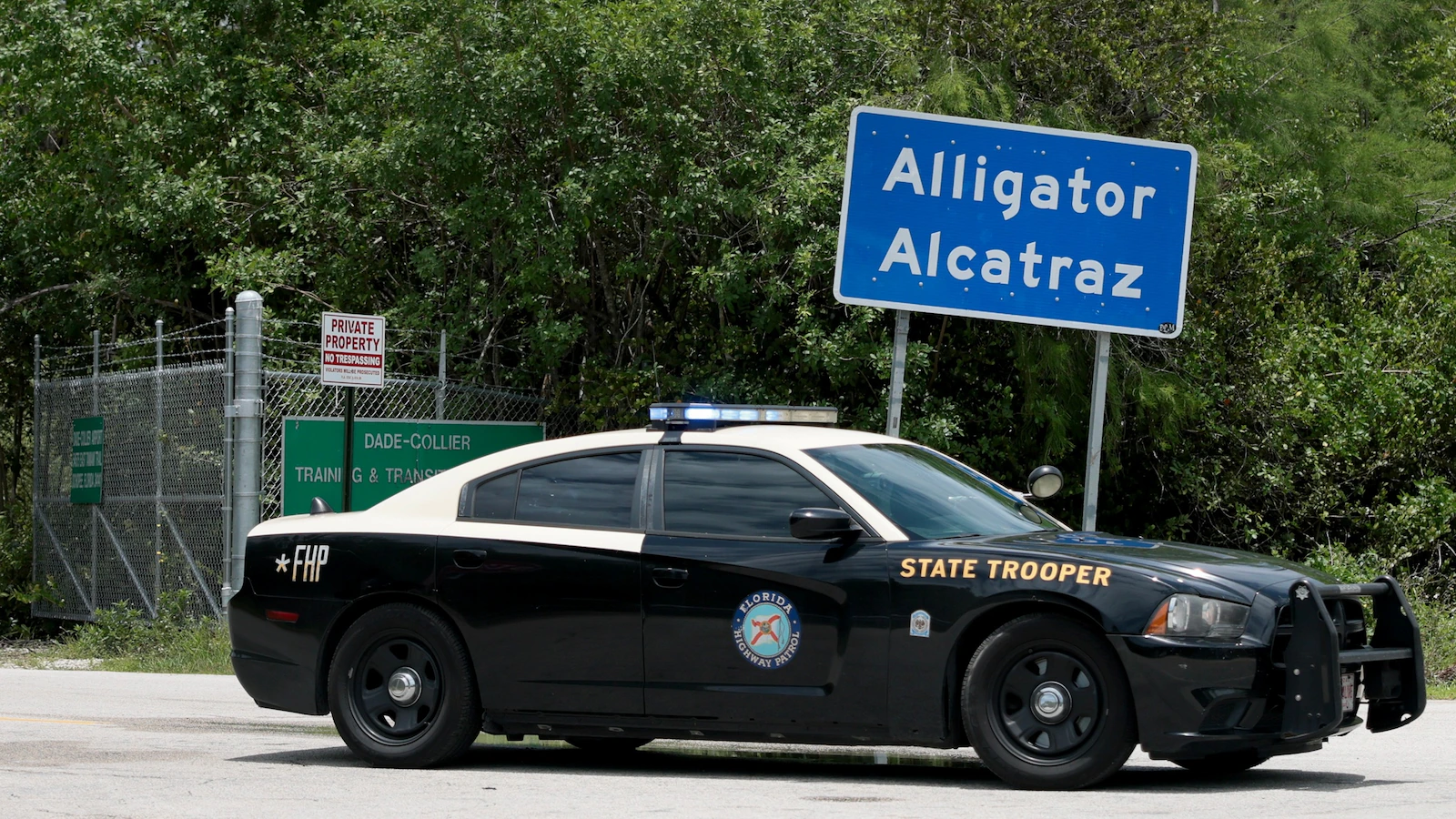
Cyberzenhub.com – Florida Governor Ron DeSantis revealed on Thursday that the state’s controversial immigration detention facility, dubbed “Alligator Alcatraz,” is set to shut down, marking its brief existence as a temporary measure. The center, which opened less than a year prior, has become a focal point of debate over immigration policies and living conditions for detainees. Located at a former military training airport in the Florida Everglades, the facility was initially designed to accommodate the Trump administration’s aggressive approach to border enforcement, but its rapid closure has sparked discussions about its effectiveness and impact on both the local community and the broader immigration landscape.
A Facility Born from Crisis
The detention center’s creation was framed as an emergency response to the surge in immigration apprehensions. DeSantis emphasized during a press conference that the facility was intended to serve as a transitional solution, allowing the Department of Homeland Security to manage the influx of detainees while securing long-term funding for additional capacity. “This was always meant to be a temporary measure,” he stated. “DHS has the resources now to handle these individuals more sustainably.” The governor also noted that the center’s role was critical in supporting the Trump administration’s deportation efforts, which had intensified under the previous year’s policy changes.
Controversy and Criticisms Mount
Despite its purpose, the facility faced immediate scrutiny from lawmakers, advocacy groups, and environmental organizations. Critics argued that the conditions inside were deplorable, citing a range of issues from overcrowding to inadequate medical care. Reports highlighted the extreme heat of Florida’s climate, with detainees often enduring sweltering temperatures in tents that were not fully equipped to handle the conditions. Insects, including mosquitoes, frequently swarmed the tents, adding to the discomfort of those held there.
“The fact that this site ever existed is a travesty, given the cruelty behind it, horrific conditions, and blatant violations of due process,” said Carmen Iguina González, deputy director for immigration detention with the ACLU’s National Prison Project.
The facility also drew attention for its potential ecological impact. Environmentalists raised concerns about the construction’s effect on the Everglades ecosystem, warning that the development could disrupt local wildlife and water systems. These worries were compounded by the facility’s use of temporary infrastructure, which critics argued was not designed for long-term occupancy and had significant environmental and humanitarian consequences.
Legal Battles and Judicial Responses
The center became a target of legal challenges shortly after its opening. One of the most prominent disputes centered on detainees’ access to legal representation. A federal judge recently denied the administration’s request to halt an order mandating that detainees be provided with access to counsel, a decision that underscored growing concerns about due process violations. The ACLU, which had filed a lawsuit against the center over this issue, celebrated its closure as a step toward rectifying systemic problems in immigration detention.
“The nightmarish scene found at ‘Alligator Alcatraz’ is not wholly unique and reflects systemic patterns of abuse at other ICE detention facilities nationwide,” González added.
While the facility’s closure was praised by some advocates, others noted that similar conditions exist in other immigration centers across the country. The rapid turnover of detainees, with over 20,000 individuals processed through the site in its short lifespan, raised questions about the consistency of care provided and the long-term implications of such policies.
Funding and Reimbursement Concerns
DeSantis also addressed the financial aspect of the facility’s operation, assuring the public that Florida would receive reimbursement from the federal government. He cited White House Border Czar Tom Homan as the key figure in ensuring this process. “I was there with Tom [Homan] and the president, and the president said, ‘Get Florida their money,’ and Tom’s going to make sure of it,” the governor stated.
Officials estimated the facility would cost the state approximately $450 million annually, a figure that has drawn scrutiny from budget analysts. However, some of these expenses are expected to be offset by reimbursements from the Federal Emergency Management Agency’s (FEMA) Shelter and Services Program. The governor acknowledged that while the facility was a necessary stopgap, its long-term financial viability remained uncertain.
Legacy and Impact on Immigration Policy
The closure of “Alligator Alcatraz” marks the end of an ambitious initiative that was emblematic of the Trump administration’s focus on rapid immigration enforcement. DeSantis, who had previously endorsed the facility as an efficient tool for deportations, now described it as a temporary measure that allowed the Department of Homeland Security to scale up its operations. Yet, the facility’s short tenure has left lingering questions about its role in the broader immigration strategy.
DeSantis’s remarks at the press conference highlighted his belief that the facility’s closure would ease the burden on the state’s resources. “DHS is on a better footing, and they now have the capacity to handle these folks without the need for such an emergency setup,” he said. However, the lack of clarity surrounding the destinations of detainees after their release has left some advocates questioning the effectiveness of the new arrangements.
Environmental and Humanitarian Considerations
The facility’s location in the Everglades has made it a symbol of the tension between immigration enforcement and environmental protection. Environmentalists argued that the construction of the center disrupted the delicate balance of the ecosystem, which is crucial for sustaining diverse wildlife and water systems. This concern was echoed by residents in the surrounding areas, who worried about the long-term effects of the facility on local biodiversity.
Meanwhile, the humanitarian aspect of the closure has become a topic of discussion. While the facility’s problems were well-documented, its impact on the lives of detainees remains a point of contention. Some families and advocates claim that the conditions were so severe that they described the experience as “being dead alive,” a phrase that underscores the psychological and physical toll on those held there. As the center closes, the debate over its legacy continues, with critics and supporters alike weighing its contributions and drawbacks.
Looking Ahead
The closure of “Alligator Alcatraz” signals a shift in Florida’s approach to immigration detention. While the governor remains committed to securing funding for other facilities, the decision to discontinue the center reflects a growing awareness of its shortcomings. As the state moves forward, the focus will likely turn to evaluating alternative solutions and ensuring that the rights of detainees are upheld in future operations. The facility’s brief existence serves as a reminder of the challenges inherent in balancing immigration enforcement with humane treatment and environmental responsibility.