
A Complete Guide to Different Types of Cyber Threats
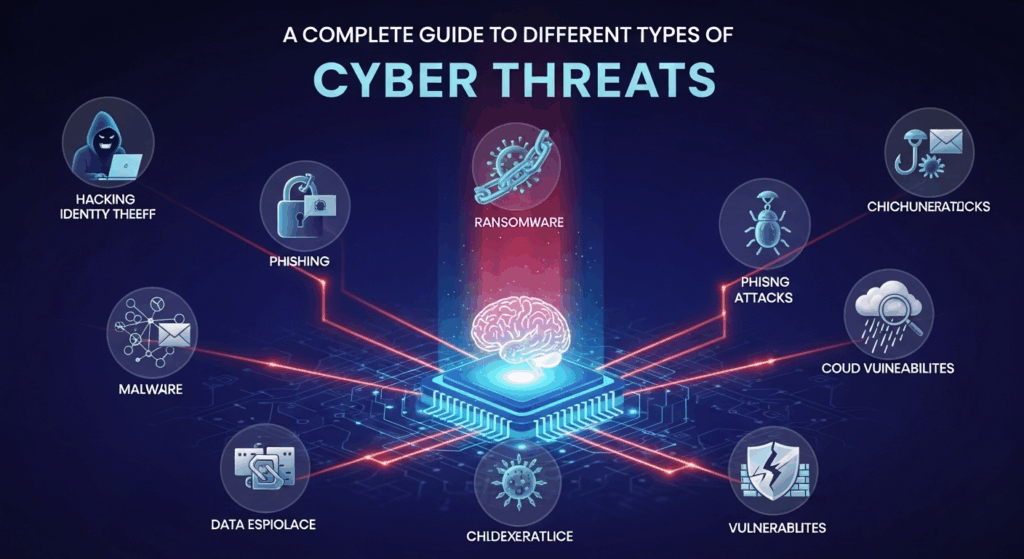
In our hyper-connected world, where daily life is inextricably linked to digital platforms, the unseen dangers of the internet have grown more sophisticated and pervasive. From personal banking and social media to corporate infrastructure and government systems, virtually every aspect of modern society is a potential target. This escalating risk makes understanding different types of cyber threats not just a niche concern for IT professionals, but a fundamental life skill for everyone. A simple click on a deceptive link or a moment of carelessness on public Wi-Fi can have devastating consequences, leading to financial loss, identity theft, and significant personal or professional disruption.
This guide is designed to demystify the complex world of cybersecurity. We will break down the most common and dangerous digital threats, explaining how they work, what their objectives are, and most importantly, how you can recognize and protect yourself from them. By building a solid foundation of knowledge, you can transform from a potential victim into a vigilant and empowered digital citizen, capable of navigating the online world safely and confidently. The first step towards robust digital security is awareness, and this comprehensive exploration is your starting point.
Malware: The Pervasive Digital Plague
Malware, a portmanteau of "malicious software," is arguably the most well-known category of cyber threat. It refers to any intrusive software developed by cybercriminals (often called hackers or attackers) to steal data, cause damage, or otherwise disrupt computer systems and networks. This umbrella term encompasses a vast array of hostile programs, each with its unique method of attack and ultimate goal. The primary purpose of malware is almost always to benefit the attacker, whether through direct financial gain, corporate espionage, or simple digital vandalism.
The delivery methods for malware are as varied as the malware itself. It can infiltrate a system through malicious email attachments, deceptive downloads from untrustworthy websites, infected USB drives, or even by exploiting vulnerabilities in legitimate software. Once inside a system, malware can operate silently in the background, making it difficult to detect until the damage is already done. Some forms of malware are designed to spread rapidly from one computer to another, creating widespread infections that can cripple entire organizations.
The impact of a malware infection can range from mildly annoying to catastrophically destructive. On the lower end of the spectrum, you might experience a slower computer and an increase in pop-up ads. On the severe end, you could face the complete loss of your personal data, have your financial credentials stolen, or become an unwitting participant in a larger-scale attack on other systems. For businesses, a malware incident can lead to massive financial losses, reputational damage, and legal repercussions, highlighting the critical need for strong preventative measures.
Viruses and Worms: The Self-Replicating Menaces
Viruses are one of the oldest forms of malware. Much like their biological counterparts, they require a host to function and spread. A computer virus is a piece of code that attaches itself to a legitimate program or file. When a user runs that program, the virus executes its own code, which could corrupt files, log keystrokes, or perform other malicious actions. It then seeks out other programs on the same computer or network to infect, continuing its cycle of replication. Viruses depend on human action, such as opening an infected document or running an executable file, to propagate.
Worms, on the other hand, are a more autonomous type of malware. While they share the goal of self-replication with viruses, worms do not need to attach to a host program. They are standalone pieces of software that actively exploit vulnerabilities in a network to spread from one computer to another without any human intervention. This ability to propagate automatically makes worms incredibly dangerous and capable of causing widespread-damage very quickly. The infamous ILOVEYOU worm of 2000 spread through email and caused an estimated $10 billion in damages worldwide, demonstrating the potent and rapid destructive power of a well-engineered worm.
Ransomware: The Digital Hostage-Taker
Ransomware is a particularly vicious form of malware that has become a dominant threat to both individuals and large organizations. Its method of attack is straightforward and brutal: it encrypts the victim's files, rendering them completely inaccessible. The attackers then display a message on the victim's screen demanding a ransom payment, typically in cryptocurrency like Bitcoin, in exchange for the decryption key. This tactic effectively holds the victim's data hostage, creating immense pressure to pay, especially when the encrypted data is critical for personal use or business operations.
The business model behind ransomware is highly organized and profitable for cybercriminals, which has fueled its proliferation. Attackers may operate "Ransomware-as-a-Service" (RaaS) platforms, where they provide the malware to less-skilled criminals in exchange for a cut of the profits. Some ransomware gangs have even adopted a "double extortion" tactic. In addition to encrypting the data, they first exfiltrate (steal) a copy of it. If the victim refuses to pay the ransom, the attackers threaten to leak the sensitive data publicly, adding another layer of coercion. High-profile attacks like WannaCry and Ryuk have shown that no sector is immune, from hospitals to city governments.
Spyware and Adware: The Silent Observers
Spyware is a type of malware designed to infiltrate your device, stay hidden, and secretly monitor your activities. Its primary purpose is to gather information about you without your consent. This can include your browsing habits, login credentials, credit card numbers, personal emails, and even keystrokes (a functionality known as keylogging). This stolen data can then be sold on the dark web or used for identity theft and other fraudulent activities. Because its effectiveness relies on stealth, spyware often gives no obvious indication of its presence.
Adware, or advertising-supported software, is a related but generally less malicious threat. Its main goal is to display unwanted advertisements on your screen, often within your web browser. While some adware is legitimate and bundled with free software (with the user's consent), malicious adware can be installed without permission. It can aggressively track your browsing history to serve targeted ads, redirect your browser to advertising websites, and significantly slow down your computer's performance. The line between aggressive adware and spyware can be blurry, as many adware programs also contain components that track user data for more than just advertising purposes.
Social Engineering: Hacking the Human Mind
While many cyber threats rely on sophisticated code to exploit software vulnerabilities, social engineering targets the single most vulnerable component of any security system: the human being. Social engineering is the art of psychological manipulation, tricking people into divulging confidential information or performing actions that compromise their security. Attackers who use this method prey on basic human emotions and cognitive biases, such as trust, fear, curiosity, and a desire to be helpful. It's often described as "human hacking" because it bypasses technical defenses by going straight to the source.
The effectiveness of social engineering lies in its ability to appear legitimate. An attacker might impersonate a trusted entity—a colleague from the IT department, a bank representative, a courier service, or even a friend. By creating a compelling story or "pretext," they build a sense of trust or urgency that compels the victim to act without thinking critically. For example, a fake email from "HR" about an urgent policy update might trick an employee into clicking a malicious link, or a panicked phone call from a supposed "bank fraud department" could convince someone to reveal their account details.
Because it exploits innate human tendencies, social engineering remains one of the most successful and widely used attack vectors. It requires no advanced coding skills, only a good understanding of human psychology and some basic research on the target. This makes it a go-to tactic for a wide range of attackers, from individual scammers to highly organized state-sponsored groups. Defending against social engineering requires not just technology, but a culture of skepticism, continuous education, and security awareness.
Phishing, Vishing, and Smishing: The Deceptive Lures
Phishing is the most common form of social engineering, typically conducted via email. Attackers send fraudulent emails that appear to be from reputable sources, such as a bank, a popular social media site, or a well-known online retailer. These emails often contain a message designed to create panic or urgency, such as a warning that your account has been compromised or that you've won a prize. The goal is to trick you into clicking a malicious link that leads to a fake login page or to open an attachment that installs malware. A more targeted and dangerous variant is spear phishing, where attackers customize the email for a specific individual or organization, using personal information to make the lure far more convincing.
Building on the same principle, vishing and smishing adapt the attack to different communication platforms. Vishing, or voice phishing, occurs over the phone. Attackers may use "caller ID spoofing" to make the call appear to come from a legitimate number. They will often employ an urgent tone, pretending to be from a tech support company, a government agency like the tax office, or your bank's fraud department to coax sensitive information out of you. Smishing is the text-message (SMS) equivalent. You might receive a text with a link, claiming to be about a package delivery, a suspicious transaction, or a mobile bill, all designed to get you to tap the link and compromise your device or credentials.
Pretexting and Baiting: Crafting the Trap
Pretexting is a more elaborate form of social engineering where the attacker creates a fabricated scenario, or pretext, to gain the victim's trust and obtain information. This goes beyond a simple phishing email and often involves a sustained interaction. For example, an attacker might call an employee pretending to be an external auditor who needs certain financial data to complete a report. To make the pretext believable, the attacker may have already gathered information about the company's structure, terminology, and key personnel. The success of pretexting relies entirely on the attacker's ability to build a credible character and story that the victim has no reason to doubt.
Baiting uses a tempting offer to lure a victim into a trap. This tactic plays on human curiosity or greed. The classic example is leaving a malware-infected USB drive in a public place, like an office lobby or parking lot, labeled with something intriguing like "Executive Salaries" or "Confidential." An unsuspecting employee who finds the drive and plugs it into their work computer to see what's on it will inadvertently install the malware, giving the attacker access to the corporate network. Online, baiting can take the form of a download for a free movie or a highly sought-after piece of software that is actually a Trojan horse.
Network-Based Attacks: Assaulting the Infrastructure
Unlike malware or social engineering, which often target individual users and endpoints, network-based attacks focus on the digital infrastructure that connects computers and devices. The goal of these attacks is to disrupt service, intercept data in transit, or gain unauthorized access to an entire network. These attacks exploit vulnerabilities in network protocols, servers, and other communication hardware. Because our digital world is built on the constant flow of information across networks, a successful attack can have widespread and immediate consequences.
The motivations behind network attacks are diverse. A hacktivist group might launch an attack to disrupt the website of an organization they oppose as a form of protest. A cybercriminal might intercept network traffic to steal unencrypted credentials or financial information. A competing company or a nation-state might seek to gain a persistent, stealthy foothold within a target's network for long-term espionage. The complexity of these attacks can vary dramatically, from simple flooding techniques to highly sophisticated man-in-the-middle schemes.
Defending against network attacks requires a robust and layered security posture. This includes using firewalls to filter malicious traffic, implementing intrusion detection and prevention systems (IDPS) to monitor for suspicious activity, and encrypting all data, both at rest (on a server) and in transit (as it travels across the network). For individuals, this means being cautious about using unsecured public Wi-Fi and using a Virtual Private Network (VPN) to encrypt your internet connection.
Denial-of-Service (DoS) and Distributed Denial-of-Service (DDoS) Attacks
A Denial-of-Service (DoS) attack is an attempt to make an online service, such as a website or an application, unavailable to its intended users. The simplest form of a DoS attack involves a single attacker flooding a target server with an overwhelming amount of traffic or requests. The server, unable to handle the massive influx, becomes overloaded and either slows to a crawl or crashes completely, effectively denying service to legitimate users. While effective, a DoS attack is relatively easy to trace back to its source.

A Distributed Denial-of-Service (DDoS) attack is a far more powerful and common evolution of this concept. Instead of the traffic coming from a single source, a DDoS attack uses a network of thousands or even millions of compromised computers, known as a botnet, to launch the assault. These "zombie" computers, which have been infected with malware, are all directed by the attacker to flood the target simultaneously. This massive, distributed wave of traffic is extremely difficult to block, as it's hard to distinguish malicious requests from legitimate ones coming from so many different locations around the world. DDoS attacks are a common tool for extortion, activism, and crippling business competitors.
Man-in-the-Middle (MitM) Attacks
A Man-in-the-Middle (MitM) attack is a form of digital eavesdropping where an attacker secretly positions themselves between two parties who believe they are communicating directly with each other. The attacker can then intercept, read, modify, or inject messages into the communication stream without either party knowing. A common scenario for a MitM attack is on an unsecured public Wi-Fi network, such as those found in cafes, airports, or hotels. An attacker can set up a rogue Wi-Fi hotspot with a legitimate-sounding name (e.g., "Airport Free WiFi") and, when users connect, intercept all their traffic.
Once they have established this position, the possibilities for the attacker are numerous. They can capture login credentials when a user signs into a non-secure website, inject malicious code into a webpage as it loads, or redirect the user to a fraudulent website. This makes MitM attacks particularly dangerous for stealing sensitive information like passwords and credit card details. Using a VPN is one of the most effective defenses against MitM attacks, as it creates an encrypted "tunnel" for your internet traffic, making it unreadable to anyone trying to intercept it.
Advanced and Persistent Threats (APTs): The Long Game
An Advanced Persistent Threat (APT) is not a specific type of tool or malware, but rather a category of attack campaign characterized by its extreme sophistication, stealth, and long-term objectives. APTs are typically carried out by well-funded, highly organized groups, often associated with nation-states or state-sponsored entities. Their goal is not a quick "smash-and-grab" for financial gain but a prolonged and stealthy infiltration of a high-value target—such as a government, a major corporation, or critical infrastructure—to conduct espionage or sabotage.
The "advanced" component refers to the use of complex and customized malware and attack vectors that are designed to evade traditional security defenses. The "persistent" element is key; APT groups often remain inside a compromised network for months or even years, moving laterally, escalating privileges, and exfiltrating data slowly over time to avoid detection. They are methodical and patient, willing to invest significant resources to achieve their strategic goals, which might include stealing state secrets, intellectual property, or disrupting essential services.
Detecting and mitigating an APT is one of the greatest challenges in cybersecurity. It requires proactive threat hunting, sophisticated behavioral analysis, and a deep understanding of the attackers' tactics, techniques, and procedures (TTPs). Famous examples like the Stuxnet worm, which sabotaged Iran's nuclear program, and the SolarWinds supply chain attack demonstrate the potential for APTs to have real-world, geopolitical consequences.
| Feature | Common Cybercrime | Advanced Persistent Threat (APT) |
|---|---|---|
| Attacker | Individual criminals or small groups | Well-funded, organized groups (often nation-state) |
| Motivation | Primarily financial gain, disruption | Espionage, sabotage, long-term intelligence gathering |
| Timescale | Short-term (minutes to days) | Long-term (months to years) |
| Methods | Broad, noisy attacks (e.g., mass phishing, ransomware) | Stealthy, targeted, customized tools and zero-day exploits |
| Target | Opportunistic (anyone vulnerable) | High-value, specific targets (governments, large corps) |
| Detection | Relatively easy (e.g., ransom note, system crash) | Extremely difficult; requires proactive threat hunting |
Insider Threats: The Danger Within
While much of cybersecurity focuses on defending against external attackers, one of the most challenging and potentially damaging threats comes from within an organization itself. An insider threat is a security risk that originates from someone who has authorized access to an organization's systems and data, such as a current or former employee, a contractor, or a business partner. This privileged access allows them to bypass many of the external security measures designed to keep outsiders out.
Insider threats can be broadly categorized into two types: malicious and accidental. A malicious insider is someone who intentionally abuses their access for personal gain, revenge, or espionage. This could be a disgruntled employee who steals sensitive customer data before resigning or a corporate spy who sells trade secrets to a competitor. These actors are often highly motivated and have a deep understanding of the organization's internal processes and security weaknesses, making their actions difficult to predict and prevent.
Conversely, an accidental or negligent insider does not intend to cause harm but does so through carelessness, ignorance, or a mistake. This is the most common type of insider threat. Examples include an employee falling for a phishing scam and inadvertently giving an attacker their credentials, misconfiguring a cloud database and exposing sensitive data to the public internet, or losing a company laptop that contains unencrypted files. While unintentional, the consequences of a negligent act can be just as severe as those of a malicious one.
Protecting Yourself: A Multi-Layered Defense Strategy
Understanding the different types of cyber threats is the first step, but it's useless without taking action to defend against them. In cybersecurity, there is no single "silver bullet" solution. The most effective approach is a defense-in-depth strategy, which involves creating multiple layers of security. If one layer fails, another is in place to stop the attack. This applies to both large corporations and individual users.
The first layer is technological. This includes fundamental tools that should be active on all your devices. A reputable antivirus and anti-malware suite is essential for detecting and blocking malicious software. A firewall acts as a gatekeeper for your network, monitoring and controlling incoming and outgoing traffic. Perhaps most importantly, enabling Multi-Factor Authentication (MFA) on all your accounts adds a critical layer of protection. MFA requires you to provide a second form of verification (like a code from your phone) in addition to your password, making it significantly harder for an attacker to gain access even if they steal your password.
However, technology alone is not enough. The human element is often the weakest link, which means the final and most critical layer of defense is you. Cultivating a healthy sense of skepticism is paramount. Be wary of unsolicited emails, messages, or calls, especially those that create a sense of urgency or seem too good to be true.
Here are some essential practices to integrate into your digital life:
- Use Strong, Unique Passwords: Use a password manager to generate and store complex passwords for every single one of your online accounts.
- Keep Software Updated: Regularly update your operating system, web browser, and applications. These updates often contain critical security patches that fix vulnerabilities exploited by attackers.
- Think Before You Click: Before clicking any link or downloading any attachment, hover over it to see the true destination and ask yourself if you trust the source.
- Be Cautious on Public Wi-Fi: Avoid accessing sensitive accounts (like banking) on public networks. If you must, always use a reputable VPN to encrypt your connection.
- Back Up Your Data: Regularly back up your important files to an external drive or a secure cloud service. This is your best defense against ransomware, as you can restore your data without paying a ransom.
Conclusion
The digital landscape is in a constant state of flux, with cyber threats evolving in sophistication and scope every day. From the widespread plague of malware and the psychological manipulation of social engineering to the brute force of DDoS attacks and the stealthy persistence of APTs, the dangers are real and multifaceted. Understanding these different types of cyber threats is no longer optional; it is a critical component of modern literacy. An informed user is a much harder target.
By adopting a multi-layered defense strategy that combines robust technological tools with vigilant personal habits, you can significantly reduce your risk of becoming a victim. Staying informed, practicing digital hygiene, and fostering a culture of security awareness are the most powerful weapons in our collective arsenal. The online world offers incredible opportunities for connection, learning, and commerce, and by empowering ourselves with knowledge, we can navigate it with confidence and security.
Frequently Asked Questions (FAQ)
Q: What is the single most common type of cyber threat for the average person?
A: For the average individual, phishing is by far the most common and frequent cyber threat. It's the primary delivery mechanism for other threats like ransomware and credential theft. Its success relies on tricking the user, making human awareness the most crucial defense.
Q: I use a Mac or an iPhone. Am I safe from viruses and malware?
A: No, this is a common myth. While Windows systems have historically been a larger target due to their market share, Apple devices are not immune to malware. Threats targeting macOS and iOS are becoming increasingly common as their popularity grows. It's still essential to practice safe browsing habits and use security software on any device.
Q: Is using a VPN enough to keep me completely safe online?
A: No. A VPN (Virtual Private Network) is an excellent tool for one specific purpose: encrypting your internet connection to protect your privacy and secure your data from being intercepted, especially on public Wi-Fi. However, it will not protect you from downloading malware, falling for a phishing scam, or a weak password being compromised in a data breach. It is just one important layer in a broader security strategy.
Q: What is the first thing I should do if I think I've been hacked?
A: First, disconnect the compromised device from the internet to prevent the attacker from causing further damage or spreading the threat. Second, immediately change your passwords for critical accounts (email, banking, social media) from a different, trusted device. Finally, run a full scan with a reputable antivirus program to find and remove any malware. If financial accounts are involved, contact your bank immediately to alert them of potential fraud.
***
Summary
This comprehensive guide serves as an essential resource for understanding the different types of cyber threats that define the modern digital risk landscape. The article begins by establishing the universal importance of cybersecurity awareness in a hyper-connected world. It then delves into the most prevalent categories of threats, starting with Malware, a broad term for malicious software including viruses, worms, devastating ransomware, and intrusive spyware. Each sub-type is explained with its unique function and delivery method.
The guide then explores Social Engineering, highlighting it as an attack on human psychology rather than technology. It details common tactics like phishing, vishing (voice), and smishing (SMS), as well as more elaborate schemes like pretexting and baiting, which manipulate trust and curiosity. Following this, the focus shifts to Network-Based Attacks, which target digital infrastructure. This section explains Denial-of-Service (DoS) and the more powerful Distributed Denial-of-Service (DDoS) attacks, along with Man-in-the-Middle (MitM) attacks that eavesdrop on communications.
For more advanced topics, the article covers Advanced Persistent Threats (APTs), characterizing them as long-term, stealthy campaigns typically orchestrated by nation-states for espionage or sabotage. It also addresses the often-overlooked risk of Insider Threats, distinguishing between malicious employees and those who cause breaches accidentally. Finally, the guide concludes with a crucial section on protection, advocating for a multi-layered defense strategy. This includes using technological tools like antivirus software and MFA, but more importantly, fostering personal vigilance through practices like using strong passwords, updating software, and maintaining a healthy skepticism online. The article is supplemented with a comparative table, a practical list of security tips, and an FAQ section to address common user questions.